Travel Management Apps That Actually Help
Discover the best travel management apps for group trips. Compare features for itinerary planning, expense splitting, and group coordination.

Louis Bloom
Author
Why Travel Management Apps Matter
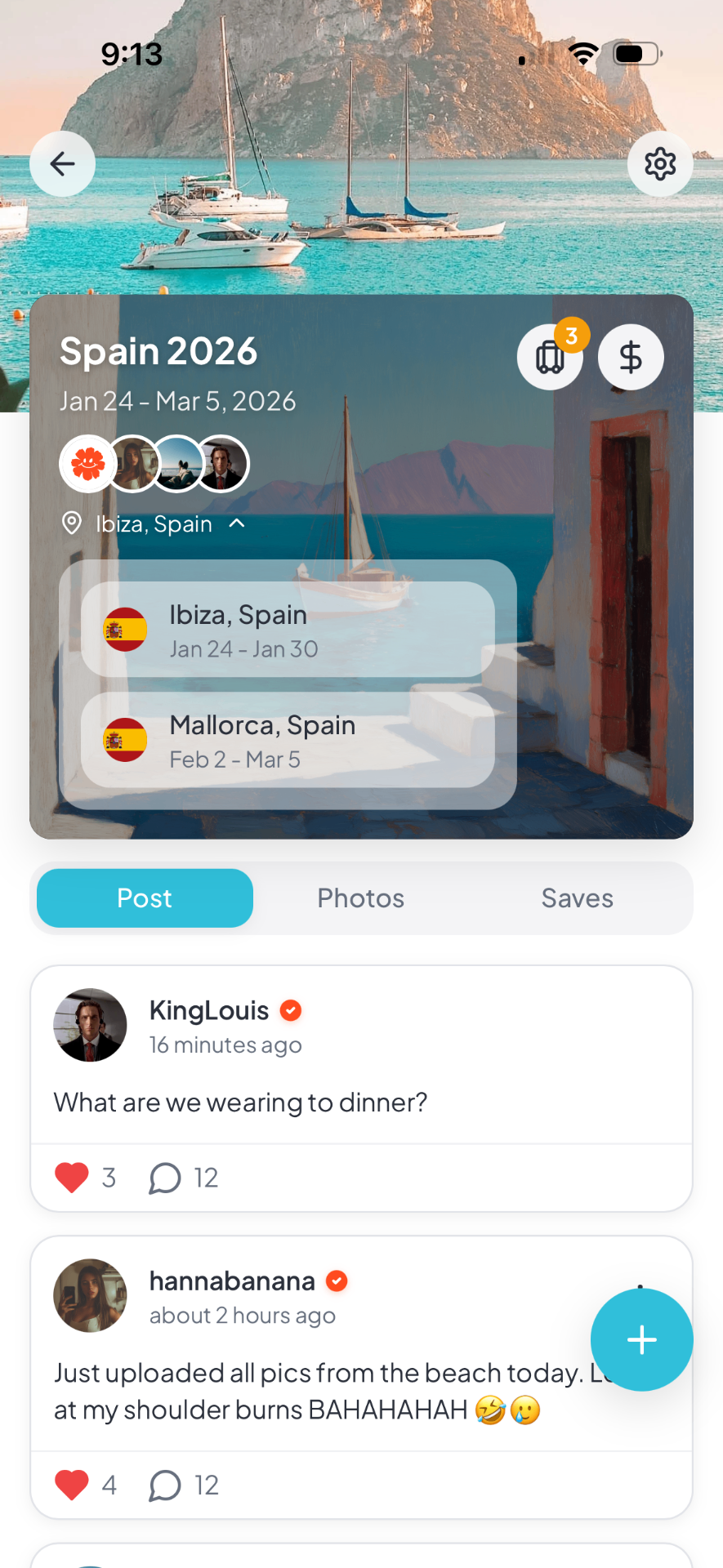
Coordinating group trips through text threads and email chains creates chaos. The right apps streamline planning, keep everyone aligned, and reduce the mental load on whoever is organizing. ### The Communication Problem In group travel, information gets lost. Someone misses the message about the restaurant change. Another person never saw the updated meeting time. Scattered communication across multiple platforms guarantees confusion. ### The Coordination Burden One person usually ends up bearing the mental load—booking accommodations, researching activities, tracking who paid for what. Without tools to distribute this work, the organizer burns out and resentment builds. ### The Documentation Challenge Confirmation numbers, booking details, addresses, and transit instructions need to live somewhere everyone can access. Relying on one person's phone or memory creates single points of failure. Using a centralized trip management app like [Packed](/features/group-trip-planning) gives everyone access to the same information without constant updates.
Itinerary and Planning Apps
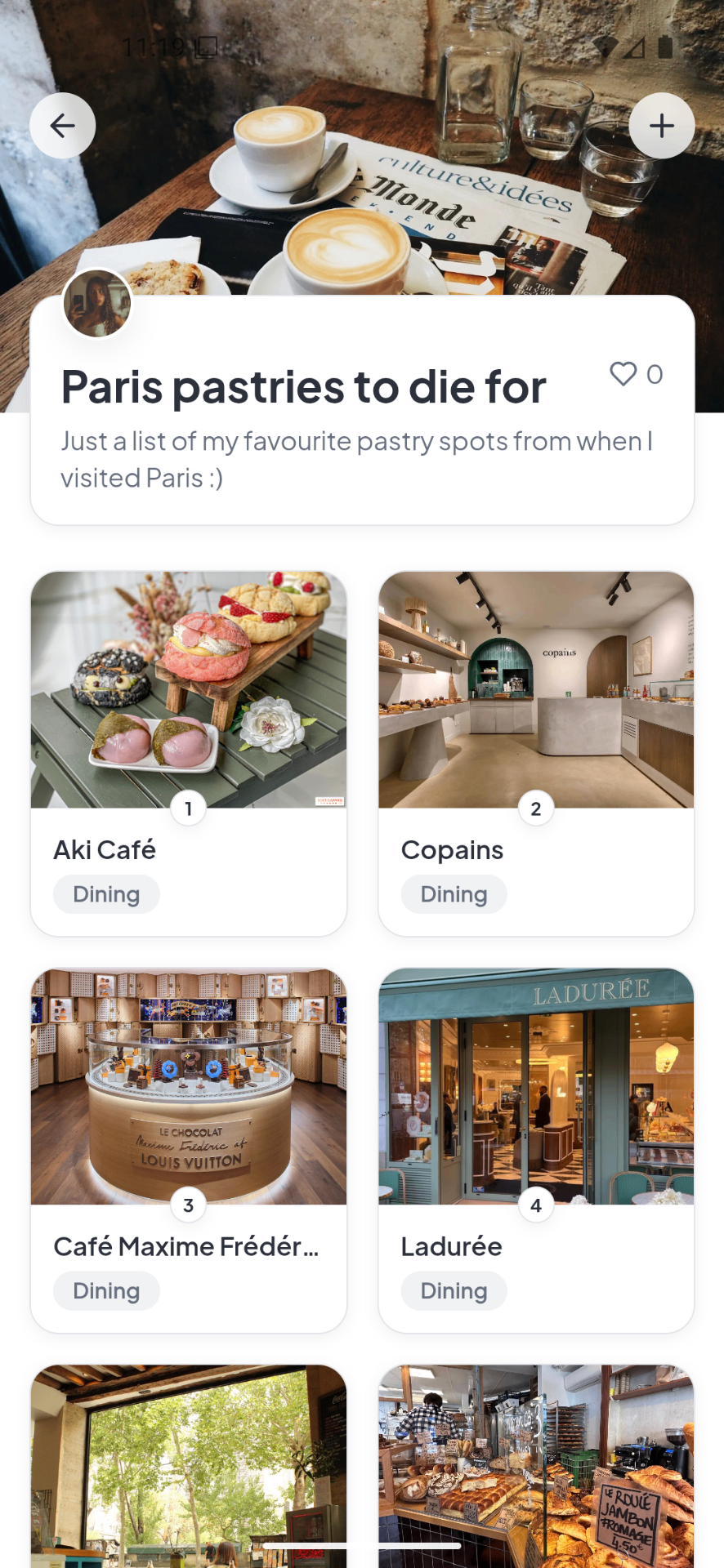
These apps help you build, share, and adjust your day-by-day schedule. ### Shared Document Approach Google Docs and similar tools work for basic itinerary sharing. Everyone can edit simultaneously, and changes appear immediately. The downside is lack of structure—itineraries become messy walls of text with multiple editors. ### Visual Itinerary Builders Apps with map-based interfaces let you see activities geographically. This helps identify inefficient routing and cluster nearby attractions. For a city like [Istanbul](/destinations/istanbul), seeing that the Blue Mosque and Hagia Sophia are walking distance apart prevents poor scheduling decisions. ### Group Voting Features Some apps let group members vote on activities and restaurants. This democratizes decision-making without requiring endless group chat discussions. When everyone can see options and cast votes in one place, consensus forms faster. Packed helps keep the whole plan in one place, so people are not jumping between notes, screenshots, and group chats.
Expense Tracking and Splitting Apps
Money management destroys group trips faster than any other issue. Dedicated apps prevent the awkwardness of tracking who owes what. ### The Shared Expense Problem Group trips involve dozens of transactions. Someone books the accommodation, another pays for dinner, a third covers museum tickets. Without tracking, these debts become impossible to untangle by trip's end. ### Real-Time Tracking Benefits The best apps let you log expenses immediately—who paid, how much, and how it should be split. This prevents the mental burden of remembering and the awkwardness of calculating at trip's end. Using a shared expense tracker keeps the math current and settling up simple. ### Fairness Features Good expense apps handle complex splitting scenarios. Some people skip an activity. Others order significantly more at dinner. The app tracks individual consumption rather than forcing equal splits when they are not fair. For destination-specific planning, keeping notes tied to a page like [Rome destination guide](/destinations/rome) makes the day easier to structure.
Group Communication Tools
Keeping everyone informed requires more than a group text thread. ### The Group Chat Limitation Text threads become unwieldy with more than four people. Important information gets buried. Side conversations confuse the main thread. Someone always mutes notifications and misses updates. ### Threaded Discussions Apps with threaded conversations organize discussions by topic. Restaurant planning stays separate from activity debates. This structure prevents the chaos of everyone talking at once about different things. ### Announcement Features Some apps distinguish between general discussion and official announcements. This ensures critical information—meeting times, location changes, booking confirmations—does not get lost in casual conversation. For group trips, Packed is especially useful because everyone can see updates, save places, and stay aligned without constant back-and-forth. When coordination starts getting messy, [Istanbul destination guide](/destinations/istanbul) gives the group one clearer place to work from.
Navigation and Transit Apps
Getting around as a group presents unique challenges that individual navigation apps do not address. ### The Herding Problem Groups move slower than individuals. Someone stops for a photo, another needs a bathroom, someone else is checking their phone. Keeping everyone together requires patience and clear meetup points. ### Shared Location Features Some apps let group members see each other's locations. This helps when the group splits up and needs to regroup. It also provides peace of mind when someone wanders off alone in an unfamiliar city like [New York](/destinations/new-york). ### Offline Access The best apps work without constant internet connection. Download maps and itinerary details before you leave WiFi range. This prevents the panic of being lost with no data connection.
Document and Booking Management
Travel involves paperwork—confirmation emails, tickets, reservations, insurance documents. Managing these centrally prevents crises. ### The Confirmation Number Hunt Searching through email for a booking confirmation while standing at a hotel check-in desk is stressful. Centralized document storage puts everything in one accessible place. ### Photo Backup Some apps automatically back up photos taken during the trip. This creates a shared album without requiring manual uploads and downloads. Everyone gets the group photos without constant AirDropping. ### Itinerary Export The ability to export your itinerary to calendar apps or print formats matters. Some people prefer digital; others want paper backups. Good apps accommodate both preferences. A related guide such as [New York destination guide](/destinations/new-york) can also help if you want a more detailed planning workflow.
Choosing the Right App for Your Trip
No single app does everything perfectly. Choose based on your group's specific needs. ### Simple Trips vs. Complex Trips Weekend getaways with one or two friends need minimal tooling—a shared note or document often suffices. Multi-city international trips with large groups demand comprehensive solutions with expense tracking, itinerary management, and group communication. ### Tech Comfort Levels Consider your group's comfort with technology. Fancy features are useless if half the group cannot figure out how to use them. Sometimes simpler tools that everyone understands beat feature-rich apps that confuse people. ### Integration vs. Specialization Some travelers prefer one app that handles everything. Others use specialized apps for specific tasks—one for itineraries, another for expenses, a third for communication. There is no right answer, only what works for your group's workflow.
FAQ
Common questions about using apps to manage group travel.
Frequently asked questions
**What is the best app for planning group trips?** The best app depends on your group's needs. For comprehensive group travel management, look for apps that combine itinerary building, expense tracking, and group communication. For simple trips, shared documents may suffice. Choose what your group will actually use consistently. **Should you use multiple travel apps or one comprehensive app?** One comprehensive app reduces context switching and keeps everything in one place. However, specialized apps often do specific tasks better. If your group is comfortable managing multiple tools, using the best app for each function works well. If simplicity matters, choose one app that handles your most important needs adequately. **How do you get everyone to use the same travel app?** Choose the app before inviting people to the trip. Make using it a condition of participation. Offer to help less tech-comfortable members get set up. Pick apps with low learning curves and good mobile interfaces. If someone refuses to use the chosen tool, they miss out on group coordination benefits. **Are travel management apps worth the cost?** Many quality travel apps are free for basic features. Paid versions usually unlock advanced features like unlimited trips or detailed analytics. For group travel, the time saved and conflicts prevented usually justify any cost. Compare the app price to the cost of one group dinner—if it prevents one argument or missed reservation, it pays for itself.
Plan your next trip with Packed
Group itineraries, expense splitting, and 700K+ places to discover in one app.